


TikTok, Unsplash
Artificial Intelligence is a great tool that can be used for many things, but it is far from perfect, and many people are tired of it being forced into every aspect of technology today.
Fortunately, companies are finally realizing that and giving users a way to opt out.
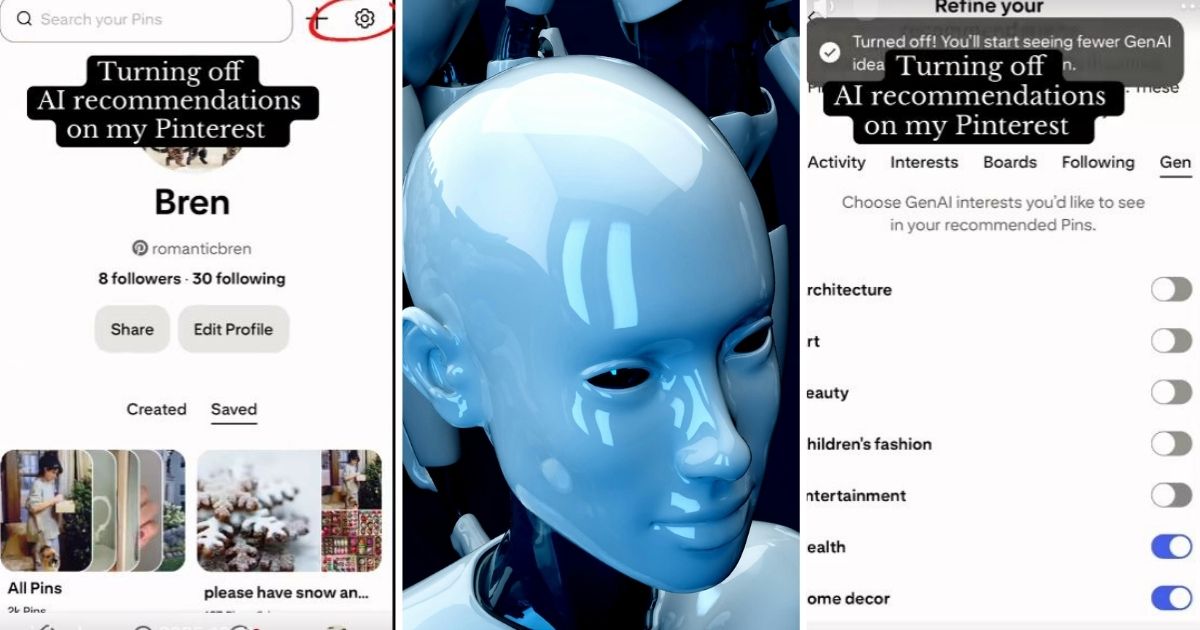
One TikToker found a way to disable AI recommendations on Pinterest and shared it with their followers. Here is how to do it.


TikTok/paigingbrenna
On the full web version of Pinterest, click on the gear icon in the top right corner.
Then, click on “Refine Your Recommendations.”
So far it is pretty simple.


TikTok/paigingbrenna
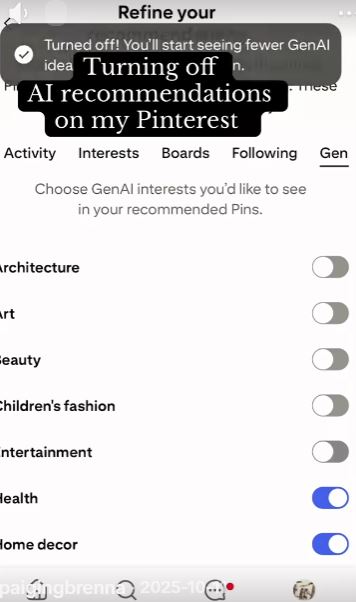
Next up, click on “Gen” which stands for GenAI interests.
You’ll see a bunch of options there for different categories.

TikTok/paigingbrenna
Simply disable each one where you don’t want AI to make recommendations. For most people, that will mean disabling them all.
Once done, simply back out of the menu and continue using Pinterest without the AI recommendations.
They really made it quite easy.
I’m sure a lot of people will appreciate it.
To see how to do it in real time, watch the video below.
@paigingbrenna I PROTECT THE FAMILY
The people in the comments offer some helpful information as well.
This person explains how to do it on the mobile app.


This person is having trouble.


Here are some people who are very appreciative.


Putting an end to the AI recommendations.
If you liked that story, check out this one about a Costco customer who got their cart stolen… so she hatched a plan to get it back!