
IT Team Spent Hours Troubleshooting A Morning Network Outage, And It Turned Out An External Contractor Had Created A Network Loop By Powering Down The Wrong Switch Every Day

Pexels/Reddit
Some of the most complex problems turn out to be painfully simple.
So, what would you do if a customer’s machines lost internet every morning and came back on randomly, and no hardware swaps were working? Would you go back to the basics?
Or would you put hours into investigating the problem because you assume your colleague covered the basics?
In the following story, an IT worker finds himself in this predicament and assumes wrong.
Here’s what happened.
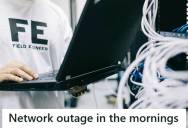
Network outage in the mornings
We had a continuous network outage at one of our customers’ sites. It initially wasn’t my problem, but I decided to help out because of its stubbornness.
Customer comes in (after like two weeks, because why would you want to speed things up) and says their C&C machines lose internet in the morning, from startup until anywhere from 15 minutes to 5 hours later.
No other devices had this issue either.
He trusted that his colleague did what he was supposed to.
The colleague didn’t trust the small desktop-grade switch it had and replaced it with a new one, but this didn’t solve the issue.
We discussed with the vendor for a while, but they don’t want to come on-site to troubleshoot with us, and they can’t remote in while the problem is occurring.
At this point, I step in, having trusted that my colleague has done the basic troubleshooting steps, which will come back to bite us later. Perhaps the internal NIC of the machine is defective, so we use a USB NIC adapter unsuccessfully.
Eventually, he found the problem.
I also set up an iperf/pingplotter kit and came across some weird values. The network will come back online for 6 seconds every minute like clockwork, but this isn’t enough for Windows (or the application) to realize the Internet is back up and running.
Okay, so something is definitely going on with the network. I rack my memories and recall we had an external contractor call us two months before, if we had an issue with one of our AP’s at this site (the answer was yes), so I called them up and asked what they did that day.
After a lot of back-and-forth, I learned that we had contracted them to install a switch and two APs in/near a conference room. Now, normally this isn’t a problem, you’d say, right?
The answer was so simple.
Wrong. Every day, this company turned off the main breaker to the production machines.
And because the contractor pulled a cable from one of the C&C machine switches (instead of the core switches), it would cause the newly installed switch and APs to lose Internet connectivity and establish a new one via mesh.
The switches and APs we have are not smart enough to release a mesh connection if a wired connection appears again, which would create a loop. Disabling the mesh instantly fixed the issue, even though it caused a network disruption late in the day for the conference room.
Still, it cost the company more than it should have.
Hours spent fishing for red herrings and talking to management: 32-ish
Hours spent actually fixing the issue: 0.5
Hours spent trying to talk some common sense into my colleague and myself to check the basics first: infinity + ongoing.
Wow! Next time, that guy should take all the right steps.
Let’s check out what the people over at Reddit have to say about this.
This person has advice about mesh networks.
Pretty much.
That’s probably what he means.
Not the grape leaves!
That was so drawn out.
Hopefully, he and his colleague learned an important lesson.
If you liked that story, check out this post about an oblivious CEO who tells a web developer to “act his wage”… and it results in 30% of the workforce being laid off.





Sign up to get our BEST stories of the week straight to your inbox.
